This is an old revision of the document!
Table of Contents

Rosy Web Application
(Release version 1.1.2)
User Manual
(Admin Portal)
Introduction
Welcome to the User Manual for ROSY – Axess Law’s Proprietary Conveyancing System. Developed with the vision of redefining real estate legal services in Canada, ROSY combines innovation, security, and simplicity to streamline the conveyancing process for legal professionals. Designed exclusively for Axess Law's internal teams and partners, this web-based application offers a secure virtual environment to manage real estate transactions efficiently. Whether preparing documents, tracking deal progress, or managing client information, ROSY provides a seamless and intuitive experience that reflects Axess Law’s commitment to accessibility, transparency, and cutting-edge legal solutions.
General Information
ROSY is a secure, web-based application specifically developed to support and enhance the conveyancing processes used by Axess Law. The platform allows legal professionals to manage real estate transactions efficiently, from initial client intake to final closing. ROSY supports multiple user roles with varying access levels, ensuring that sensitive information remains protected while allowing seamless collaboration. The system is designed to operate across modern browsers and devices, requiring only a stable internet connection for access. All data entered into ROSY is stored securely, with regular backups and compliance with industry-standard data protection protocols. This manual provides a comprehensive overview of the application’s capabilities and how to use them effectively.
System Overview
The web application has the following functionalities:
- File Management Process
- Automated Email Templates
- Communication Channels
- Document Control
- Transaction Deal Stage Queues and Tasks
- Dynamic Roles and Permissions
- Typeforms, Triggers, and Questions
- Syngrafii Integration
- Transaction Closing Date Calendar
- Dashboard Development
- Title Search Integration
- Treefort Integration
- API Exposure and Integration
Getting Started
Language Option
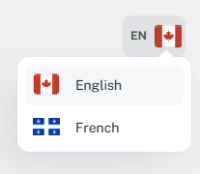
ROSY supports multiple language options to accommodate users with diverse language preferences. Users can easily switch between available languages for a more personalized experience.